No syntax to type
Headings, tables, task lists, diagrams and formulas change on the formatted page. The source is one click away.
Nothing to install
It opens in the browser, and the same notes are on every device you sign in on.
Your AI has the context
Over MCP it reads the notes of the project before a task and documents what it changed.
Shared by link
A note or a folder with another account, a public link, or a live session where everyone writes at once.
Wired to your tools
An API, signed webhooks and inbound addresses for Make, n8n, Activepieces, Zapier and Slack.
Your files stay yours
A
.mdon your disk opens without being uploaded. Open source, with a server you can run yourself.
Edit the document you are reading.
Click a paragraph, a heading, a list item or a table cell and type. The Markdown is rewritten behind it, block by block.
Type **bold** or `code` and the marks turn into formatting. Start a line with #, - or > and it becomes a heading, a list or a quote.
Right-click a block.
Insert a table, a code block, a diagram, a formula or a callout below it. Turn it into a heading, move it, duplicate it or delete it.
/ on an empty line opens the same menu. Ctrl Z undoes it and Ctrl Y brings it back.
Diagrams with the drawing next to the code.
Click a Mermaid or Graphviz diagram and it opens with a live preview. Start from a template, add steps and arrows with a button, and pick a color palette.
A mistake is explained in plain words, with its line marked. Formulas have an editor of the same kind.

The whole folder, searchable.
Open a folder from your disk and the sidebar lists its files, with how many notes each folder holds. The search box looks through the text of all of them at once.
Create, rename and delete from there, and move files and folders by dragging.

Your AI on the same notes
SharpMD has no AI of its own. There are two ways to bring yours.
Your agent, connected over MCP
Claude, Codex or any other MCP client reads and writes the notes you keep in the cloud, from wherever it works. It reaches as far as the token you give it.
An assistant inside the note, with your own key
Turn on the tool and add your key for Claude, OpenAI, Gemini and eight more, or a compatible server. It rewrites a selection, writes where the cursor is and answers about the open note. Each result is a proposal you accept or discard.
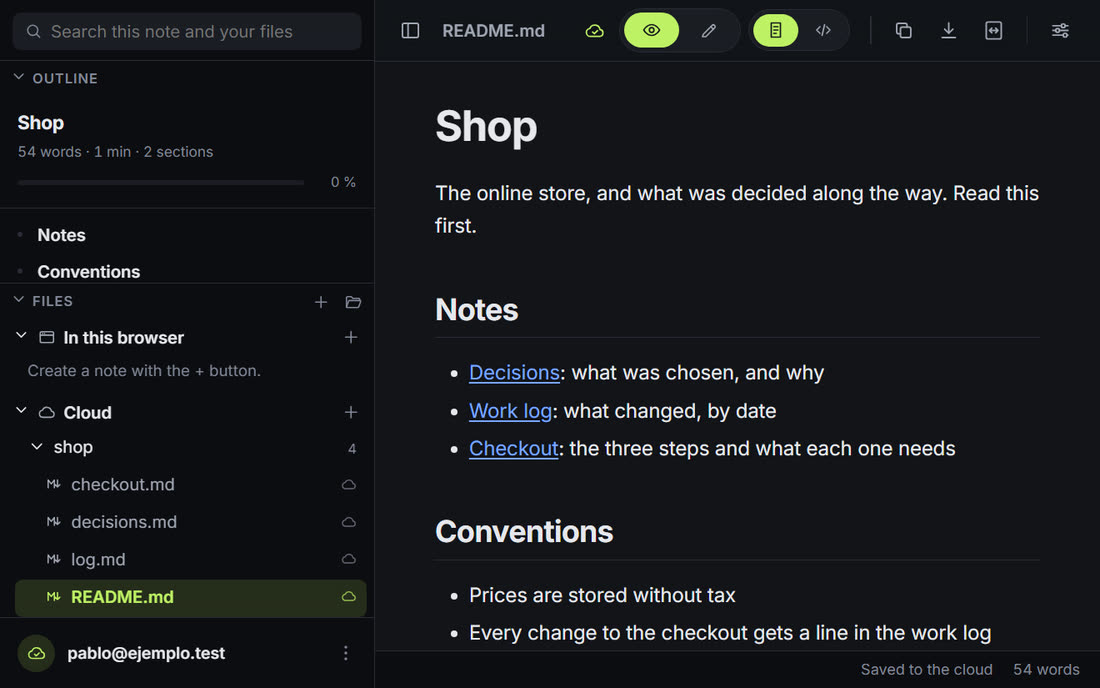
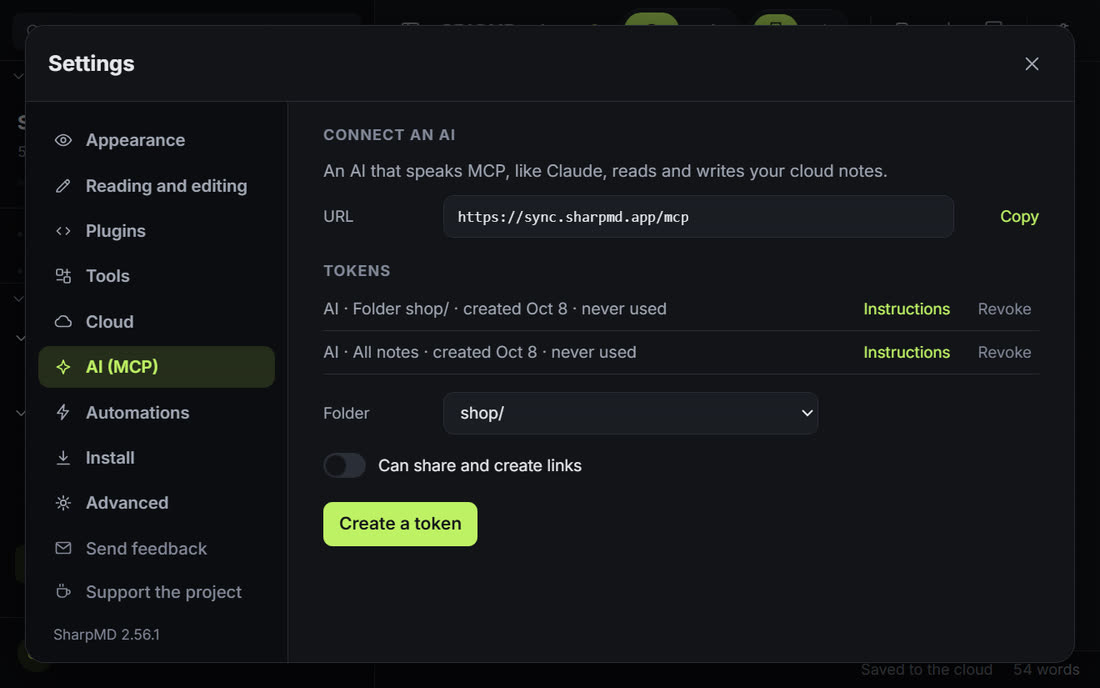
Create a token in Settings and copy the instructions. Pasted into your AI, they carry the address, the token and how to write here.
You are being connected to SharpMD, a Markdown notes app. ## Connect - URL: https://sync.sharpmd.app/mcp - Header: Authorization: Bearer mdt_... ## What to use it for - Keep a record of your work as you go: what changed, progress, decisions and why, open questions. ## Use it as project memory - Before you start a task, call search_notes and read the notes of the project.
# list_notes read_note write_note append_note move_note # search_notes note_history list_comments resolve_commentThose instructions ask it to read the project notes before a task and to update them when it changes something. The next session starts from there, whichever AI it is.
Leave a comment on a paragraph. Your AI reads the open ones, makes each change and closes it with a reply.

Limit a token to a folder and nothing outside it can be read or written. Sharing is a separate permission, off unless you turn it on.
Cloud notes and sharingSoon
Nothing goes to the cloud until you send it.
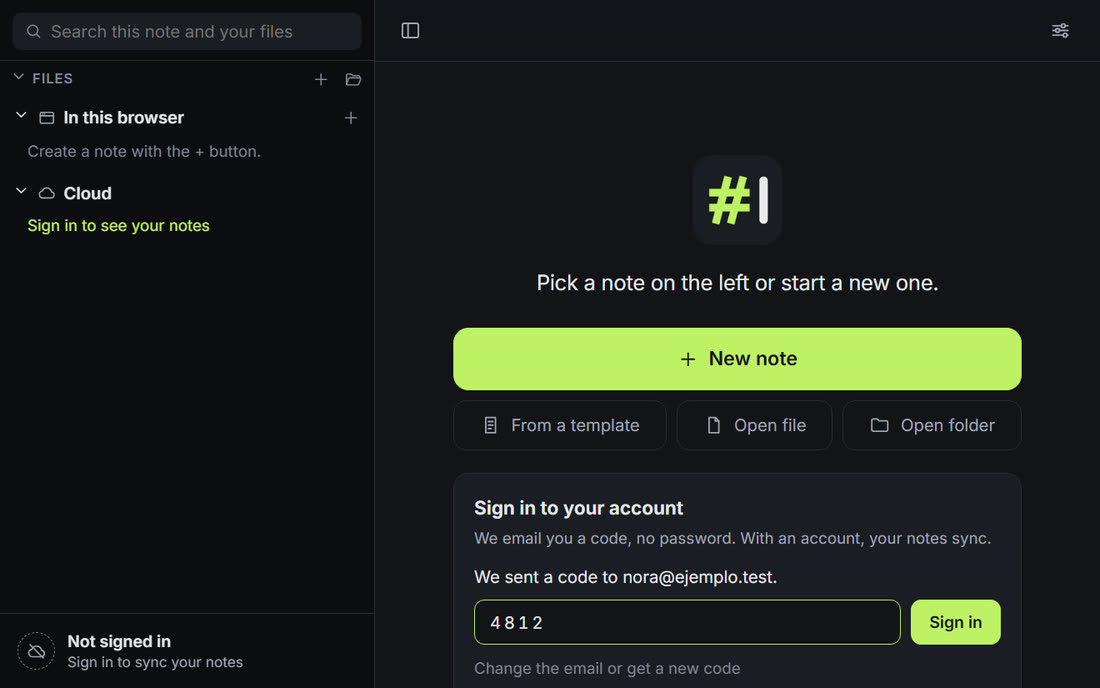
Sign in with a six-digit code sent to your email, and your cloud notes are in the sidebar. One click sends a note there, and it saves itself from then on.
Open a session on a note and send the link. Guests join from the browser with a name, without an account, and everyone sees who is on each block.

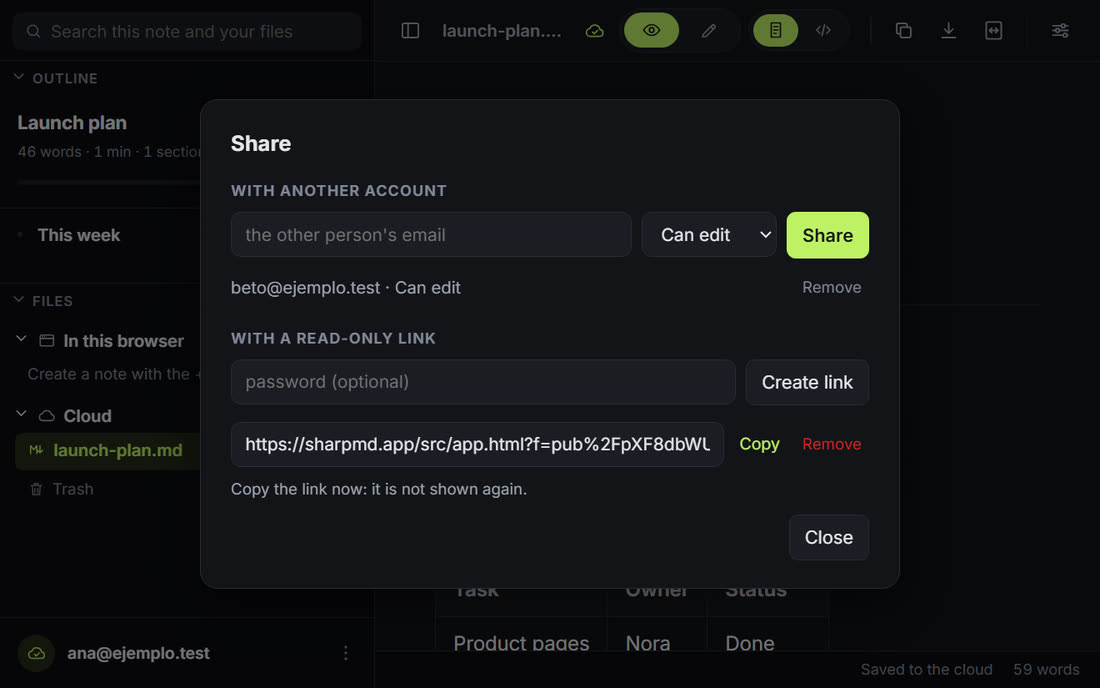
With another account, to read or to edit. Or a read-only public link with a password.
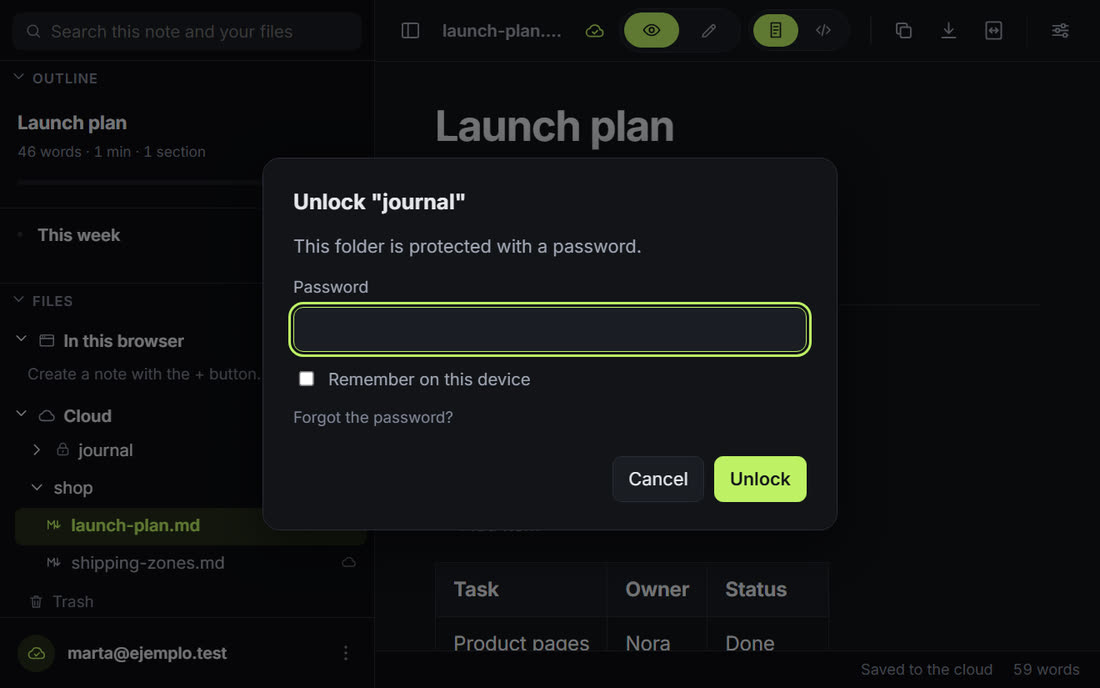
Give a folder a password and it shows a lock. Its notes are encrypted in your browser before they are sent.
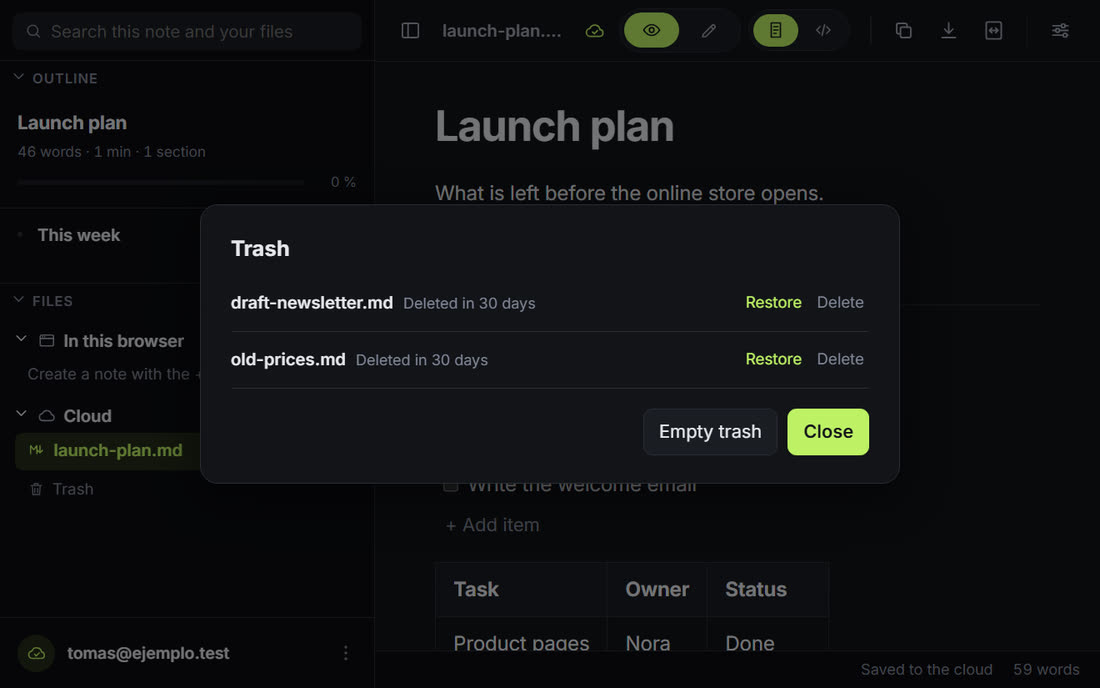
A deleted note waits there, and you can restore it.
Connect it to your tools
The notes your AI and your team write can start a flow in Make, n8n, Activepieces, Zapier or Slack, or receive from one.
SharpMD calls an address when a note or a card changes, for the whole account, one folder or one note. Paste a Slack or Discord address and the channel gets a readable line.
shop/board.mdTo doFix checkoutWelcome emailDoneFix checkout# shop-launchSharpMDCard "Fix checkout" moved from To do to Done in shop/board.md
Each card carries its own fields, like due date, owner and priority. Moving it to another column sends
card.moved, and finishing it sendscard.done.CardFix checkout- due
- 2026-10-20
- owner
- Ana Paz
- priority
- high
- status
- To do → Done
POST /your/address"type": "card.moved", "card": { "title": "Fix checkout", "attrs": { "due": "2026-10-20", "owner": "Ana Paz" } }, "from": "To do", "to": "Done"A secret address that adds a line to a note, creates a note or creates a card. A form or another system posts to it.
Order formSendshop/orders.md- 2026-10-06 New order from Marta, $ 85
- 2026-10-07 New order from Ana, $ 120
Notes, folders, search, history, comments and boards as JSON, with the same tokens as MCP. OpenAPI 3.1 included.
$ curl -X POST \ https://sync.sharpmd.app/api/v1/boards/cards/c8k2m9xq/move \ -H "Authorization: Bearer mdt_..." \ -H "Content-Type: application/json" \ -d '{"path": "shop/board.md", "column": "Done"}'{"ok": true, "data": { ... }}$ curl "https://sync.sharpmd.app/api/v1/search?q=checkout" \ -H "Authorization: Bearer mdt_..."
What the server can read, and what it cannot
Files on your disk
They are read in your browser and never uploaded. No account needed.
Notes in the cloud
Stored encrypted. The server holds that key, because it has to share them and hand them to your AI.
Folders with a password
Encrypted end to end: the server stores text it cannot read. Your AI gets in only while you unlock the folder, for the time you set.
Your AI key stays on your device
Stored encrypted on that device only, with a key the browser will not export. It never goes through our server, is not synced and is not shown whole again. Calls go from your browser straight to the provider you chose, which receives what you send it. Text from a protected folder is sent only if you confirm.
The detail is in Privacy, and the code is on GitHub: the app under MIT, the server under AGPL.
Also in the editor
Writing
- FormulasAn editor with live preview and buttons for fractions, sums and symbols.
- Tables with totalsRows and columns with a button, and a row that sums each column.
- BoardsA task list turns into columns with cards you drag.
- Templates26 starting points: meeting notes, project plan, roadmap, budget.
- EmojiType
:and pick from the list. - Focus modeDims everything but the block you are writing. Typewriter mode keeps the line at mid height.
Finding and linking
- Find and replaceOne match or all of them.
- Links between notes
[[name]]links to the file with that name, and Ctrl K picks a section or a file from a list. - Files dropped into the noteDrag a file from the sidebar into the note you are editing and it becomes a link.
- ImagesPasted or dropped, saved to
assets/next to the document. - More than MarkdownCode highlighted, CSV as a table, images as images.
- ExportOne HTML file, PDF through print, or Word.
- Publish a siteA cloud folder becomes a public website, with a menu, search and a theme. One click to update it.
Anywhere
- On the phoneThe same app in a small screen, with the files in a side panel.
- Without a connectionThe web app opens offline once you have used it.
- Quick notesNew opens an empty note, saved in the browser or in the folder you chose.
- Read aloud and dictationListen to a note, or write by speaking, with formulas and flowcharts by voice.
- Slides, daily note and link mapPresent a note full screen, open today's note with one button and see which notes link to which.
- Community galleryTemplates, themes and diagram palettes shared by people, reviewed before they are published.
- English and SpanishSwitch in Settings.
Make it yours
Twelve built-in themes, six light and six dark, on every plan.
Plans
What you do on your own, on your device, is free. You pay for what runs on our server to connect you with other people or with your AI.
Free
USD 0
No account needed
Start writing- On your device
- The whole editor
- Files and browser notesNo limit
- Dictation, slides, daily note and Word export
- The AI assistant with your own key
- On our server
- Notes in the cloud10
- ImagesBy link
- Protected folders
- Trash for 30 days
- Sharing and public linksnot included
- Live sessions by linknot included
- Publish a sitenot included
- The MCP connection for your AI
- Comments your AI resolves
- API, webhooks and inbound addressesnot included
- Version historynot included
- Appearance
- Built-in themes12
- Colors, fonts and your own CSSnot included
- For the team
- A shared space for the team notesnot included
- Roles: administrator, editor and readernot included
- Settings the administrators decidenot included
- The space protected with one passwordnot included
- An activity log of the spacenot included
- Team tokens for an AI or a servicenot included
Paid
USD 4 a month
or USD 40 a year
Get the paid planYou sign in and pay inside the app.
- On your device
- The whole editor
- Files and browser notesNo limit
- Dictation, slides, daily note and Word export
- The AI assistant with your own key
- On our server
- Notes in the cloudNo limit
- Images1 GB
- Protected folders
- Trash for 30 days
- Sharing and public links
- Live sessions by link
- Publish a site1 site
- The MCP connection for your AI
- Comments your AI resolves
- API, webhooks and inbound addresses
- Version history30 days
- Appearance
- Built-in themes12
- Colors, fonts and your own CSS
- For the team
- A shared space for the team notesnot included
- Roles: administrator, editor and readernot included
- Settings the administrators decidenot included
- The space protected with one passwordnot included
- An activity log of the spacenot included
- Team tokens for an AI or a servicenot included
Team
USD 5 per person a month
From 2 people
Start a teamFree for 14 days
- On your device
- The whole editor
- Files and browser notesNo limit
- Dictation, slides, daily note and Word export
- The AI assistant with your own key
- On our server
- Notes in the cloudNo limit
- Images2 GB per person
- Protected folders
- Trash for 30 days
- Sharing and public links
- Live sessions by link
- Publish a site1 + the team site
- The MCP connection for your AI
- Comments your AI resolves
- API, webhooks and inbound addresses
- Version historyUp to 1 year
- Appearance
- Built-in themes12
- Colors, fonts and your own CSS
- For the team
- A shared space for the team notes
- Roles: administrator, editor and reader
- Settings the administrators decide
- The space protected with one password
- An activity log of the space
- Team tokens for an AI or a service
Where it runs
Four pieces, all open source.
The web app
Nothing to install. Chrome, Edge and Brave open folders and save in place. Firefox and Safari open one file at a time and saving downloads a copy.
Open the appThe extension
Works without a connection. Set Chrome as the default app for .md files and a double-click opens them rendered.
On the phone
The web app fits a small screen and installs from the browser. The Android app is that same app in a package, with the same notes and the same account.
Open it on your phoneThe sync server
What the cloud notes, the AI connection and the automations run on: one Node file with SQLite, under AGPL.
Server source- GitHubSource code
- Chrome Web StoreChrome extension
- Google PlayIn testing
On sharpmd.app it is already running
We run the accounts, the sign-in mail, the backups, the updates and the MCP endpoint over HTTPS. You sign in and paste one message into your AI.
On your own server it is the same code
You set up the domain with HTTPS, a mailer for the sign-in codes, the encryption key, the backups and each update, and then type its address in Settings. The steps are in the server README.
With the extension installed, the web app and the extension show the same notes and recent files. Install the web app and Windows offers it in Open with for .md files.
Questions
Something else? Write to hello@sharpmd.app.
What is free and what is paid?
The editor is free and open source, with no limit on files or on notes kept in the browser. The free plan adds 10 notes in the cloud, the MCP connection for your AI over those notes and the twelve themes. The paid plan, USD 4 a month or USD 40 a year, covers the rest of what runs on our server: unlimited cloud notes, image uploads, sharing, live sessions, a published site, the API and webhooks, and version history.
Does SharpMD come with its own AI?
No. You bring yours, in one of two ways: connect the agent you already use over MCP (Claude, Codex or another client), or turn on the assistant inside the note with your own key for Claude, OpenAI, Gemini and eight more, or a compatible server.
Does SharpMD see my AI key or what I send to the AI?
No. The key is stored encrypted on your device and the requests go from your browser straight to the provider you chose. That provider receives the text you send and handles it under its own terms.
How does my AI get to my notes?
You create a token in the app and add SharpMD as an MCP server in Claude or another client. It only sees the notes you keep in the cloud, or one folder if you limit the token.
How is it different from a local editor with plugins?
A local editor keeps the notes on one machine. To share them or reach them from an AI you add plugins and a sync service, and each person repeats the setup. SharpMD opens in the browser with the sharing, the MCP endpoint and the API already running. A file on your disk still opens without being uploaded.
Can the server read my notes?
Cloud notes are stored encrypted on the server, which holds the key so it can share them and serve your AI. A folder you protect with a password is different: it is encrypted in your browser and nobody else can read it. To let your AI in, you unlock that folder for a set time. If you lose the password and the backup key, those notes cannot be recovered.
Can several people edit a note at once?
Open a live session on a cloud note and send the link. Up to 12 people write at once. You end the session when you want, or make a new link to leave the old one out.
What happens to a cloud note I delete?
It stays in the trash for 30 days and you can restore it. While it is there it is not searched, shared or reachable by your AI.
Does it work without a connection?
Yes. The extension always does, and the web app does once you have opened it. Cloud notes you have already opened are there too, and what you write uploads when the connection is back.
Which Markdown does it support?
GitHub Flavored Markdown, plus KaTeX math, Mermaid and Graphviz diagrams, footnotes, task lists, callouts, definition lists and YAML front matter.
How do I open a .md file with a double-click?
Install the extension, turn on "Allow access to file URLs" in its details, and set Chrome as the default app for .md files.
Open a note and click on a paragraph.
The editor asks for no account. The cloud, the connection for your AI and the automations start when you sign in.